When jumping across international date lines and managing businesses remotely, keeping track of time zones is crucial. The Tripmetic dual city clock widget is the perfect companion, allowing you to seamlessly track home and destination timezones at a glance.
Whether you want to set it up as a quick lock screen time zone tracker for your iPhone or deploy it as a beautiful home screen world clock on your Android, this premium iOS and Android travel widget ensures you never miss a beat. Here is how to install it.
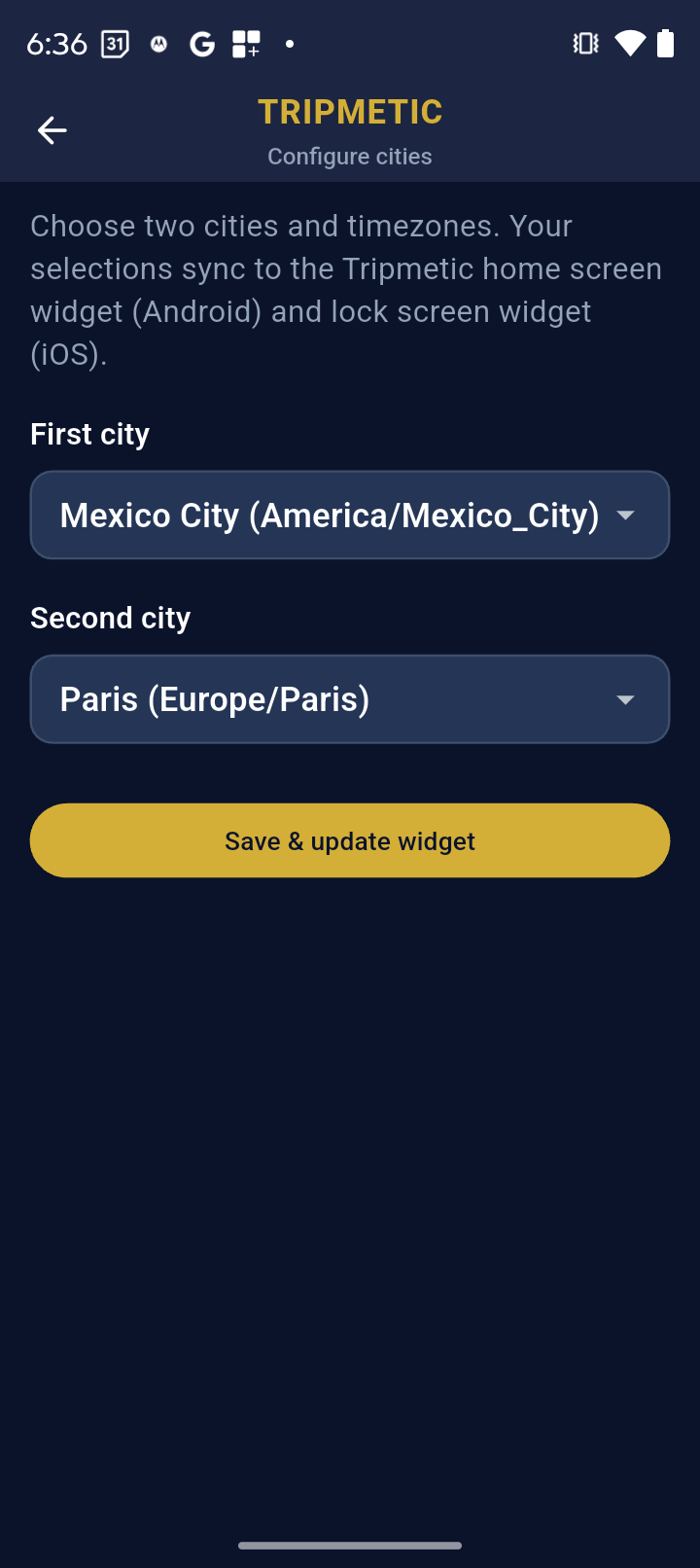
1 Configure Your Cities (In-App)
Before adding the widget to your screen, you need to tell Tripmetic which locations to display. Open the Tripmetic app, navigate to the Widget Setup screen, and select your two primary cities. Tap 'Save' to securely lock in your preferences.
2 Apple iOS: Lock Screen Setup
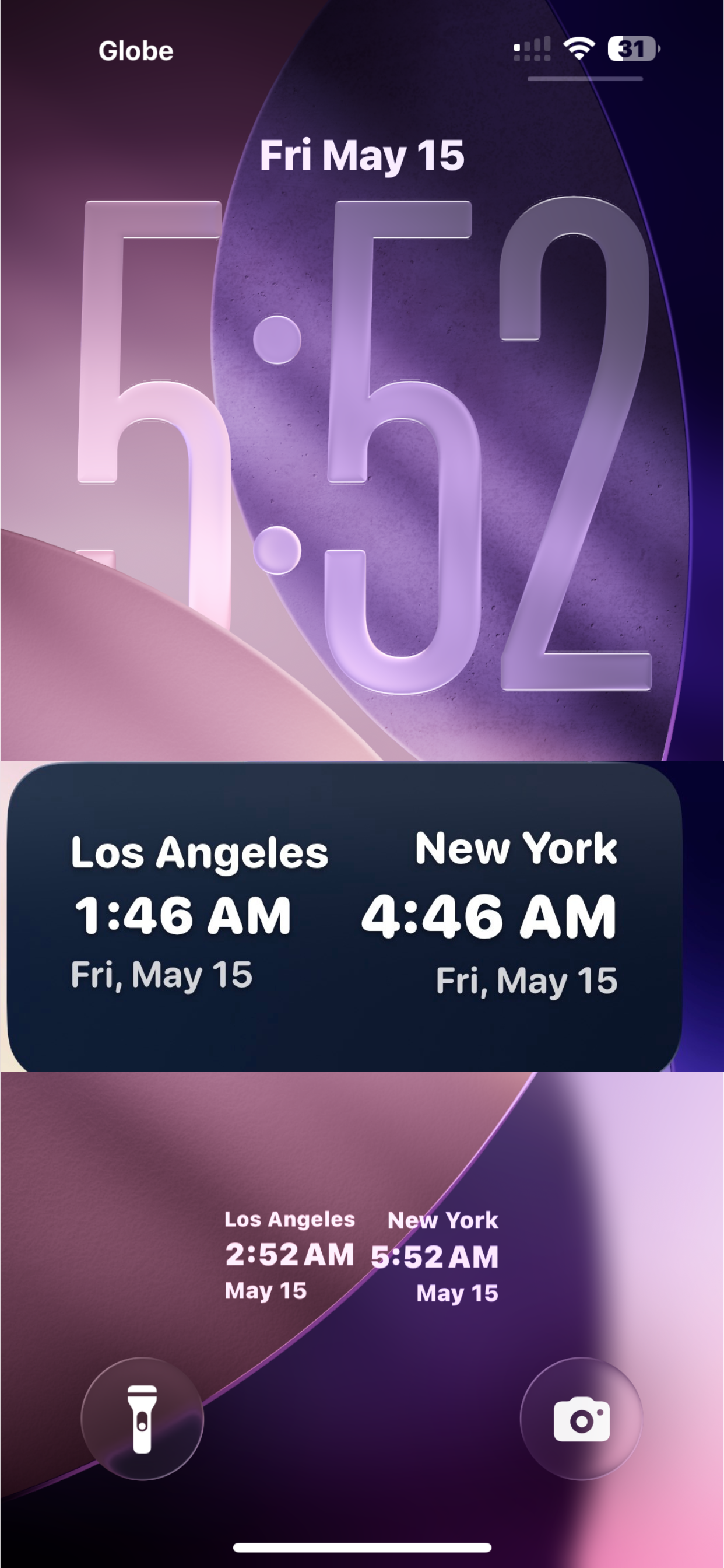
For iPhone users, the Tripmetic widget is designed natively for the iOS 16+ Lock Screen. Follow these steps to add it:
- Lock your phone, then tap and long-press the Lock Screen.
- Tap the Customize button at the bottom, then select Lock Screen.
- Tap the Add Widgets box located just below the time.
- Scroll down the list of apps, tap Tripmetic, and select the Dual Clock widget to add it to your screen.
3 Android: Home Screen Setup
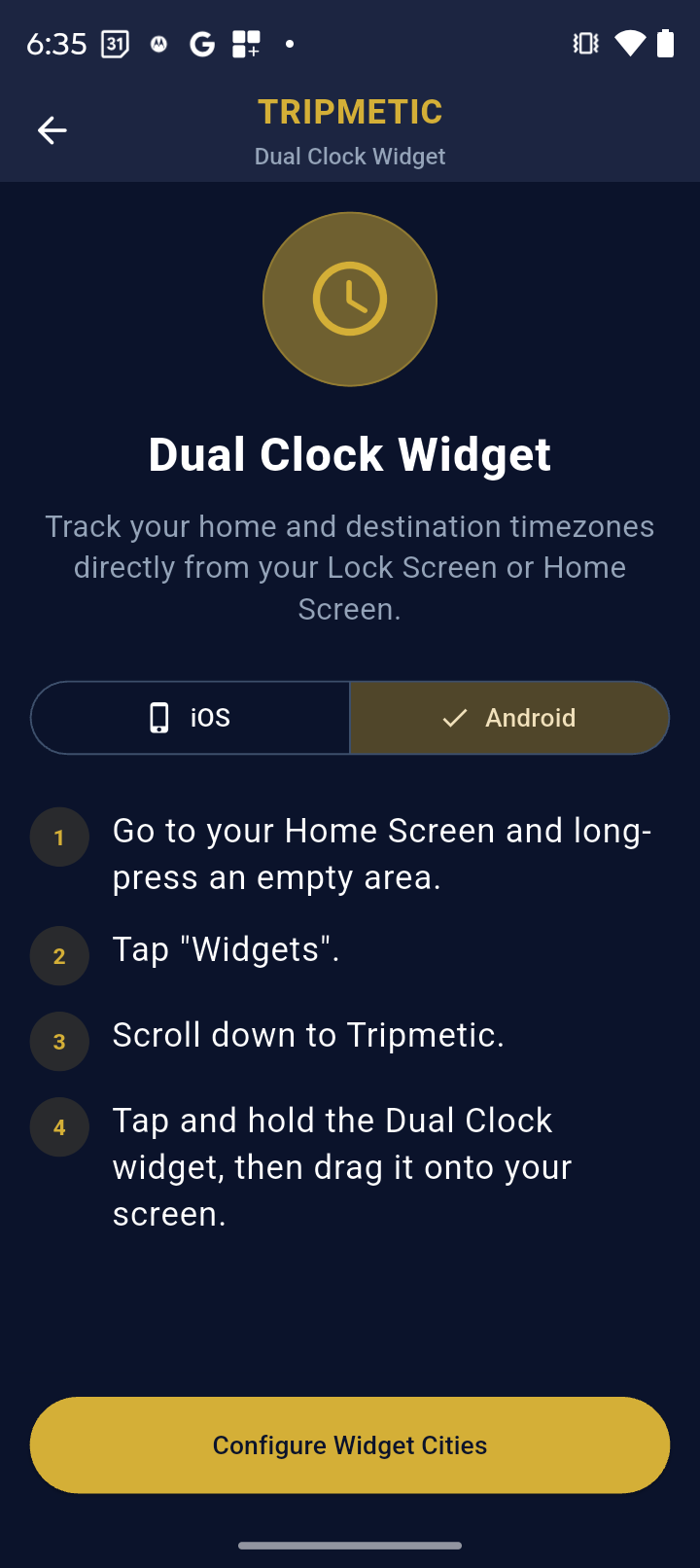
For Android users, the Tripmetic widget provides a sleek, scalable clock block designed for your Home Screen. Follow these steps to deploy it:
- Go to your Android Home Screen and long-press on any empty space.
- Tap the Widgets icon that appears at the bottom of the screen.
- Scroll down your app list until you find Tripmetic and tap to expand it.
- Tap, hold, and drag the Dual Clock widget to your desired position on the Home Screen.
Frequently Asked Questions
No. We built the Tripmetic widget using highly optimized, native system code (WidgetKit for iOS and AppWidgets for Android). It leverages your phone's internal clock rather than constantly pinging our servers, ensuring zero noticeable battery drain.
Absolutely. Whenever you travel to a new destination, simply open the Tripmetic app and update your city selections in the Widget Setup menu. The widget on your home or lock screen will automatically refresh.
Yes. The widget utilizes global IANA timezone standards, meaning it perfectly tracks when different regions of the world spring forward or fall back automatically.